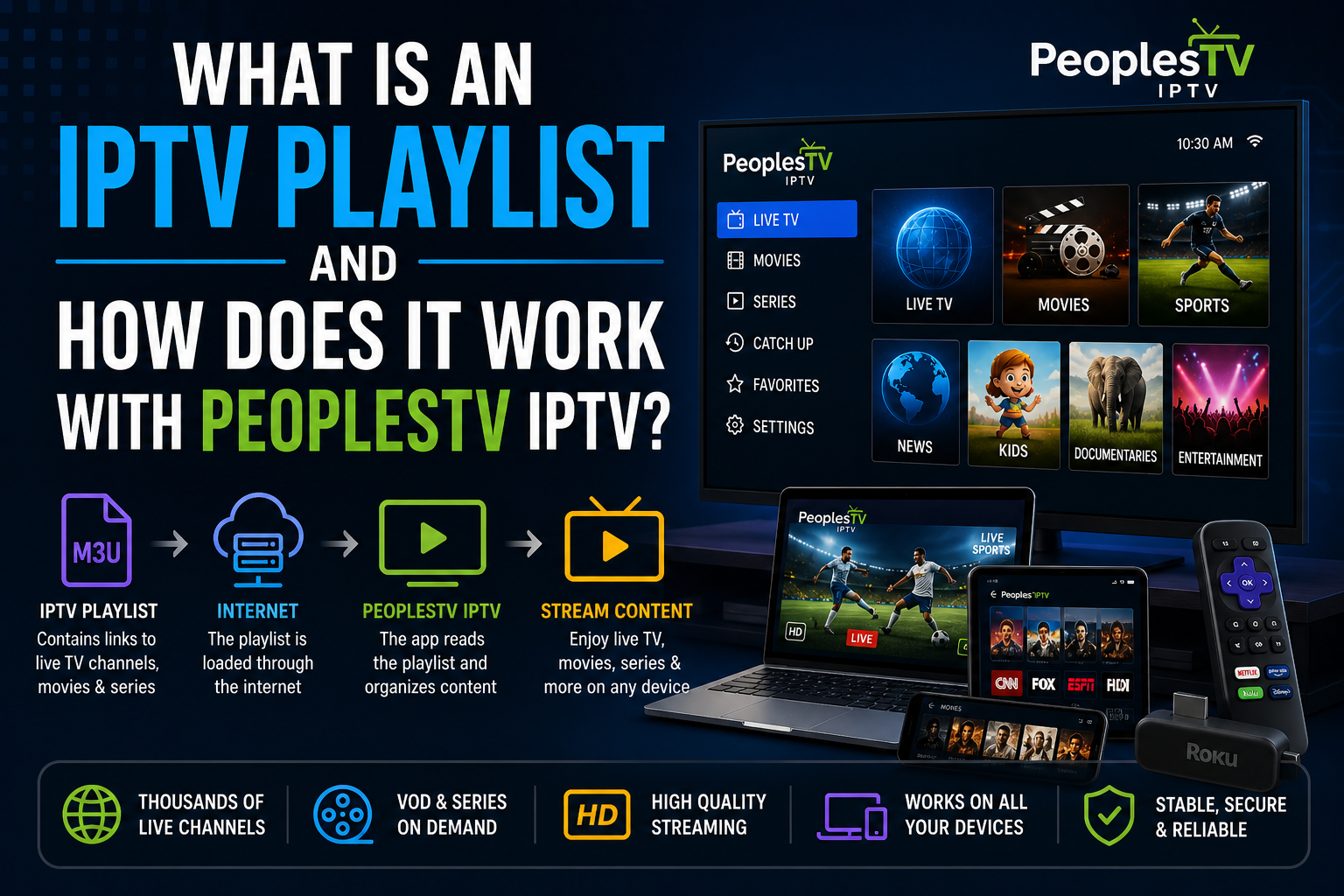
IPTV playlists are a core part of how IPTV streaming works. It is one of the most important things on which the experience relies. However, many users have the question of what a playlist is and how it works.
An IPTV playlist is a file or URL that contains a list of TV channels, movies, seasons, and more via IPTV apps. It works as the warehouse for storing all of the available content. Internet-based streaming allows customizations, daily updates, and better accessibility via these playlists.
Continue reading as the article explains how IPTV playlists work, and how PeoplesTV IPTV uses them to deliver the best streaming experience.
What Is an IPTV Playlist?
An Internet Protocol Television playlist is a file or URL (M3U format or Xtream Codes) that contains the list of available content. All it requires is a device and an internet connection to work smoothly.
What an IPTV playlist includes
- Channels names
- Streaming URLs for live content
- Metadata (logos, categories, favorites)
Common IPTV playlist formats
- M3U playlists
- M3U8 playlists
- Xtream Codes
How playlists are used
IPTV apps work as the bridge between users and the streaming service. These players read the links and display channels for the best IPTV experience.
How Does an IPTV Playlist Work?
IPTV Playlist is a simple yet powerful technology. However, many users have the question of how they exactly function. Keep reading to learn more
How IPTV playlists function
Step 1: Playlist is created
A provider, such as PeoplesTV IPTV, compiles a list of streamable content into a file. It is usually sent to users via email after the payment.
Step 2: The playlist is added to an IPTV app
Users upload the login credentials to an IPTV player
Popular IPTV apps include:
- SmartOne IPTV
- Set IPTV
- GSE Smart IPTV
- VLC Player
Step 3: The app reads the playlist
The player organizes the channels and content into a user-friendly interface for easier access
Step 4: User selects content
Viewers can browse channels, on-demand content, sports games, and more
Step 5: Streaming begins
Content is delivered directly to multiple smart devices.
What Devices Support IPTV Playlists?
In the busy lives of today, not everyone has the time to sit in front of the TV to watch the media. Smart streamers want multiple device support, and IPTV Playlist enables them to.
Devices that support IPTV playlists
- Smart TVs
- Smartphones and tablets
- PCs, Laptops, MACs
- Android streaming devices
- IPTV Boxes
Why multi-device support matters
- Viewers can watch content anywhere and anytime
- Seamless viewing across all the platforms
- Flexibility for different screen sizes
Hence, leading services such as PeoplesTV IPTV and Suomi IPTV promote the use of IPTV playlists.
How PeoplesTV IPTV Uses IPTV Playlists
The most reliable and trusted service, PeoplesTV IPTV, uses playlists to deliver the best IPTV streaming experience.
How the platform works
- Consumers receive the playlist links that contain channels
- Ensures easy interaction with leading IPTV apps
- It supports multiple devices for flexible viewing
Key benefits
Organized content
More than 50,000 IPTV channels are structured into various genres and categories for easy navigation
Wide content access
- Live TV Channels
- Movies, seasons, and VOD
- Integration with OTT platforms
User-friendly experience
Simple setup that only takes five minutes, even for beginners and non-tech-savvy users
How to Set Up an IPTV Playlist (Step-by-Step Guide)
Unlike traditional streaming methods, PeoplesTV IPTV supports easy setup, which requires no help from others. Consumers can get started with enjoying their favorite content on their own.
1: Choose an IPTV app
- SmartOne IPTV
- Net IPTV
- GSE Smart IPTV
- VLC
- IBO Player
2: Get your IPTV playlist
- Viewers receive it after the payment
- It is either an M3U file or an Xtream Codes
3: Add a playlist to the app
- Upload a file or enter the login credentials
- Configure and save settings
4: Load channels
- App organizes the channels automatically
- It can also be organized later on
5: Start streaming
- Select channels
- Watch content and have a great time
Common Issues with IPTV Playlists and How to Fix Them
Many users may face various IPTV problems when streaming content. PeoplesTV IPTV helps in solving the issues for the Extreme IPTV expereince.
Common issues
- Playlists not loading
- Broken or outdated links
- Buffering during streaming
- Missing channels
How to fix them
- Refresh or update the playlists
- Check internet connection (LAN Ethernet is recommended)
- Use the latest version of the IPTV app
- Use VPN IPTV for improved security and speeds
Frequently Asked Questions About IPTV Playlists (FAQ Section)
What is an IPTV playlist?
An IPTV playlist is a file or a URL that contains all the information about available content, and uses an IPTV app to stream it.
What format is an IPTV playlist?
IPTV playlists are mostly in the format of M3U, M3U8, or Xtream codes.
What devices support IPTV playlists?
IPTV playlists to work on multiple platforms, such as
- Smart TVs
- Smartphones and tablets
- PCs, Windows, Macs
- Android streaming devices
- IPTV Boxes
Are IPTV playlists easy to use?
Yes, the playlists are easy to use and only take some minutes to setup via the IPTV app
What apps can open IPTV playlists?
Some of the best IPTV apps that can access playlists are
- IBO Player
- SmartOne IPTV
- Set IPTV
- Net IPTV
- GSE Smart IPTV
Final Thoughts on IPTV Playlists
IPTV playlists are a key component of IPTV streaming, allowing users to access channels and content through internet connections. They work as the connecting bridge between the users and the streaming service.
PeoplesTV IPTV helps users with playlists that can be used for delivering a flexible and user-friendly streaming experience. With the right setup and understanding, every consumer can enjoy thousands of options in immersive resolutions without any interruptions. It has affordable pricing plans, accessibility on multiple smart devices, and easier setups.
Sign up with PeoplesTV IPTV, and enjoy a streaming experience, anywhere, and everywhere.