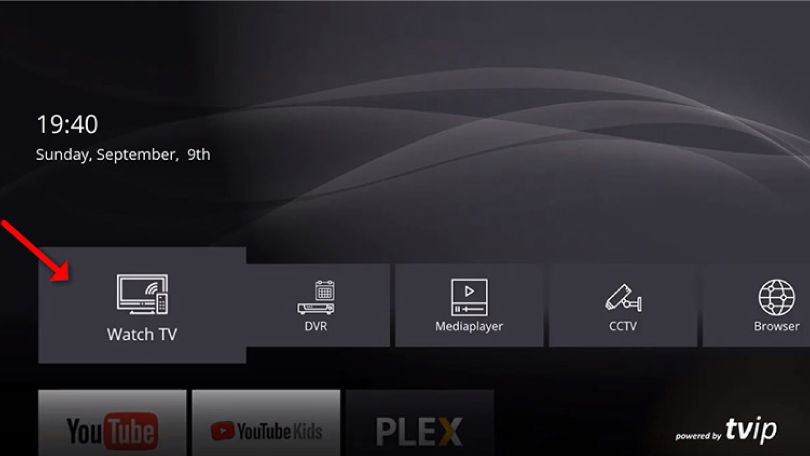
Instruktioner för TVIP boxar
TVIP-boxen är en av de mest avancerade IPTV-boxarna på marknaden och den är även relativt enkel att komma igång med. Boxen låter dig installera dina kanaler via dess portalinställningar.
Vanligtvis rekommenderas det att man laddar upp sin IPTV-spellista med Xtream Codes API (dvs. med användarnamn, lösenord och Portal URL som du får från oss vid köp eller gratis test). Detta gör att din EPG (Programguide) automatiskt installeras i bakgrunden.
Med TVIP-boxen behöver du dock inte oroa dig för detta. Följ våra enkla TVIP-instruktioner för att snabbt komma igång med din nya box.
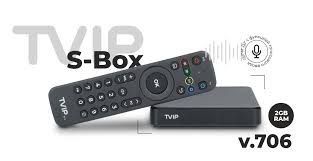
Steg 1
Starta boxen och fyll i uppgifterna du fått från oss via e-post. I vissa fall kan det krävas att du godkänner villkoren innan denna ruta visas – tryck då bara på “OK”. När du ser rutan, fyll i den Portal URL du fått från oss. Din Portal URL ska avslutas med “/c”, så den kommer att se ut något i stil med: http://abcd.se:3095/c.
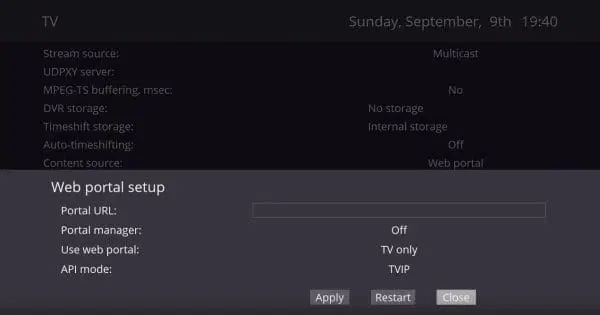
Steg 2
Välj “Web Portal” och sedan “Setup Web Portal”.
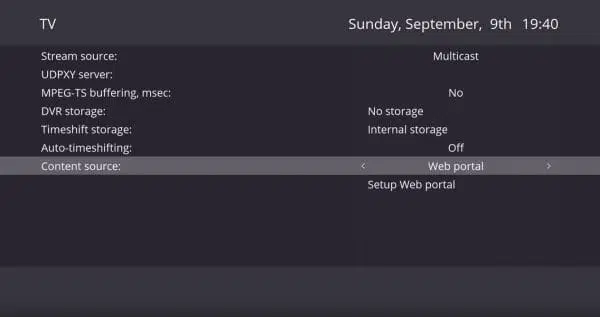
Steg 3
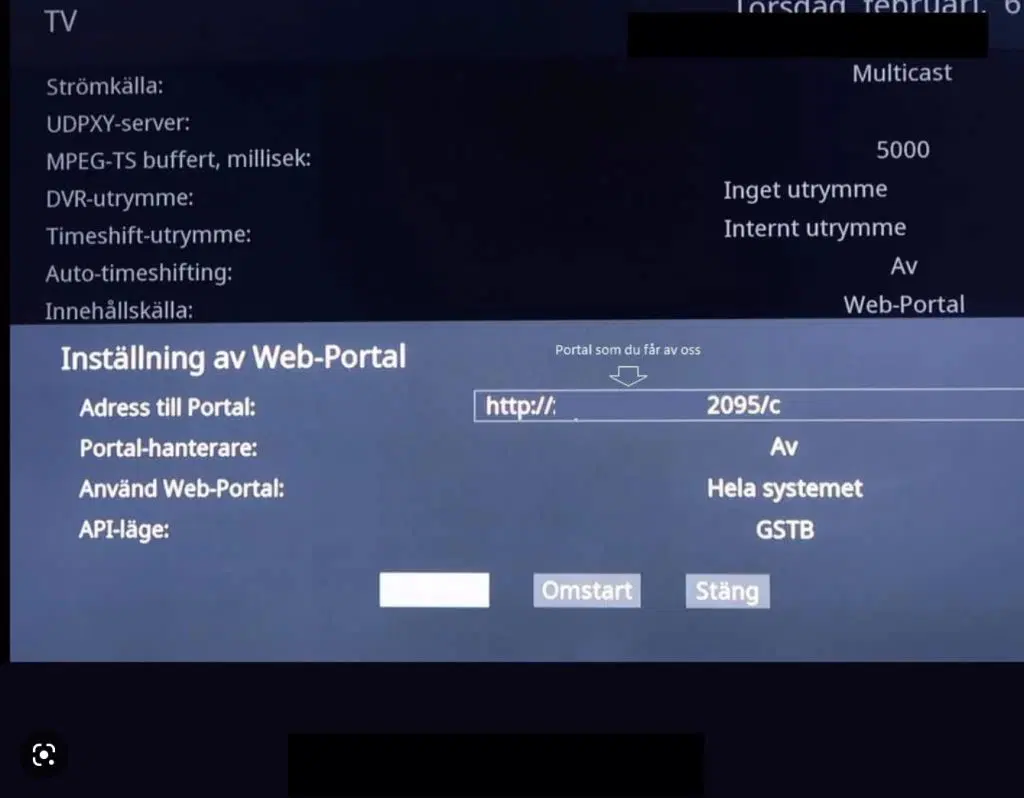
När du har valt “Setup Web portal” kommer du till denna sida. Här ställer du in inställningarna så att de matchar bilden nedan.
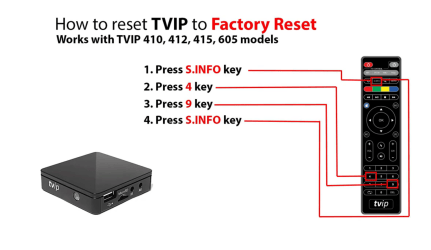
TVIP Box Fabriksåterställning
Nedan ser du hur man genomför en fabriksåterställning på en TVIP box oavsett modell.
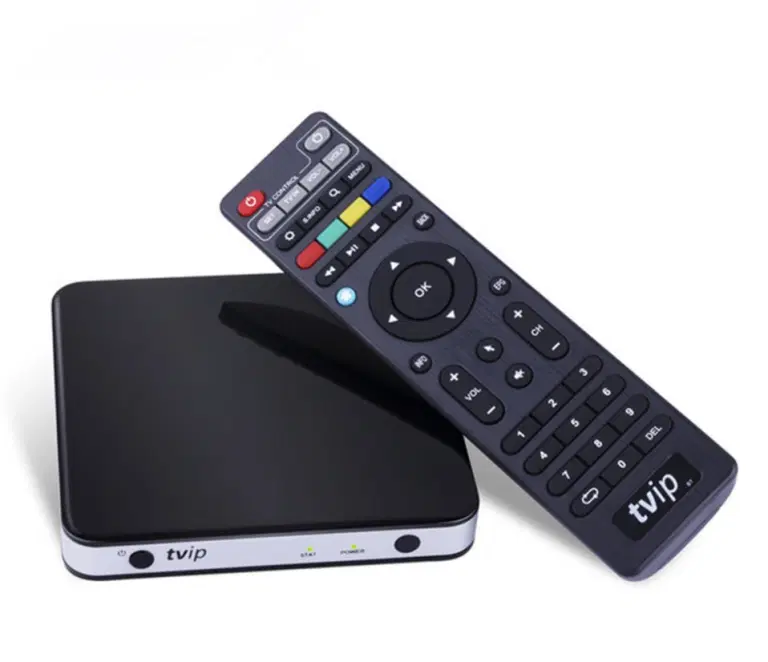
TVIP 705
TVIP Instruktioner. TVIP 705 är en populär IPTV-box som är känd för sin pålitliga prestanda och användarvänliga funktioner. Den ger en smidig och stabil streamingupplevelse för att strömma TV-kanaler och on-demand-innehåll via internet. Boxen är kompatibel med en rad IPTV-tjänster och stödjer både HD- och 4K-strömmar, vilket gör den till ett perfekt val för användare som vill uppleva högupplöst TV på sin skärm.
En stor fördel med TVIP 705 är dess enkla installation och det intuitiva gränssnittet. Den levereras med en fjärrkontroll som gör navigeringen enkel och snabb, oavsett om du använder den via Ethernet (trådbundet) eller Wi-Fi (trådlöst). Den kraftfulla processorn möjliggör sömlös användning av flera appar samtidigt utan några störningar.
TVIP 705 stödjer olika populära format som MPEG-2, MPEG-4, H.264 och H.265, vilket innebär att du kan strömma en mängd mediefiler utan problem. För de som vill ha en flexibel och stabil lösning för att streama sina favoritkanaler, filmer och serier är TVIP 705 ett utmärkt alternativ.
Förutom TVIP-boxar rekommenderar vi även IPTV-lösningar som Nvidia Shield, Apple TV och Formuler Box för ännu mer mångsidiga och pålitliga IPTV-upplevelser.
TVIP 605
TVIP 605 är en kompakt och prisvärd IPTV-box som erbjuder en pålitlig streamingupplevelse för TV-kanaler och on-demand-innehåll via internet. Boxen har stöd för HD-upplösning och erbjuder enkel installation med ett användarvänligt gränssnitt. Med stöd för både trådbundet Ethernet och Wi-Fi-anslutning ger den flexibilitet beroende på användarens nätverksförhållanden. TVIP 605 är utrustad med en effektiv processor som möjliggör snabb navigering och stabil prestanda. Den har också stöd för populära videoformat som MPEG-4 och H.264, vilket gör den till ett bra val för de som söker en smidig IPTV-lösning till ett överkomligt pris.
TVIP 415
TVIP 415 är en pålitlig och kompakt IPTV-box som ger en smidig streamingupplevelse av både live-TV och on-demand-innehåll. Med stöd för HD-upplösning och stabil prestanda är den perfekt för daglig användning. Installation är enkel och gränssnittet användarvänligt, vilket gör den lätt att använda även för nybörjare. TVIP 415 stöder både trådbundna och trådlösa (Wi-Fi) anslutningar, vilket ger flexibilitet beroende på nätverksmiljö. Boxen klarar av populära videoformat som H.264 och MPEG-4, vilket gör att den kan hantera en mängd olika mediefiler – ett utmärkt val för IPTV-användare.