
Instructions for Perfect IPTV
Perfect IPTV can be downloaded on most devices today. The app is easy to get started with and provides a smooth user experience, making it an excellent choice for anyone looking for a great IPTV experience.
It's not the easiest app to use, but it's not the most difficult either. If you find it too complicated, we recommend starting with IPTV Smarters instead. Follow the instructions on this page, and you'll be up and running in just a few minutes. Here we've collected guides for the app, so you can quickly get started on your device, whether you're using Apple TV, Smart TV, or any other device.
On this page you will find instructions for the apps (note that these apps come from different developers and not from the same company):

The app can be downloaded from the Play Store and App Store.
Step 1
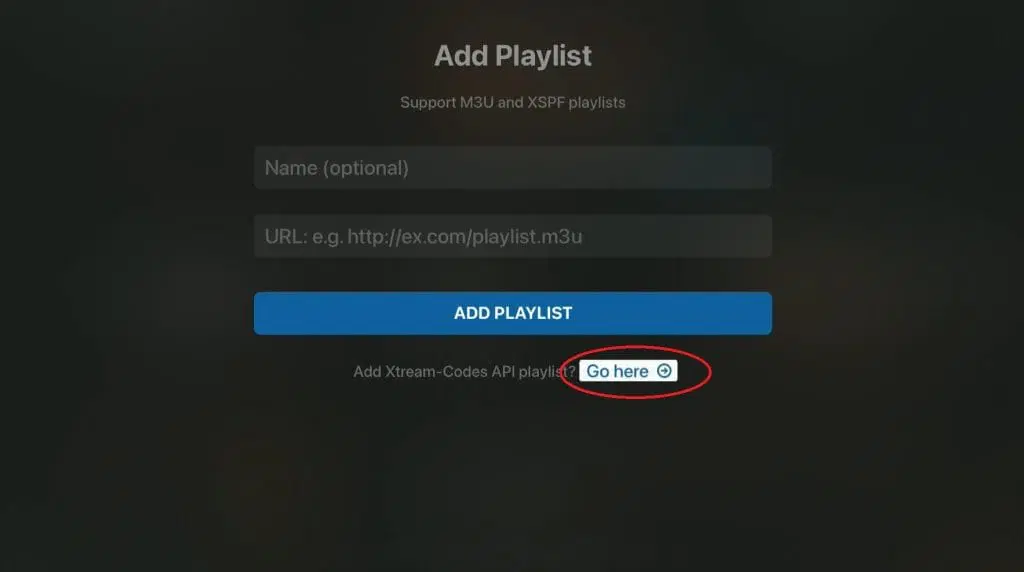
Step 2
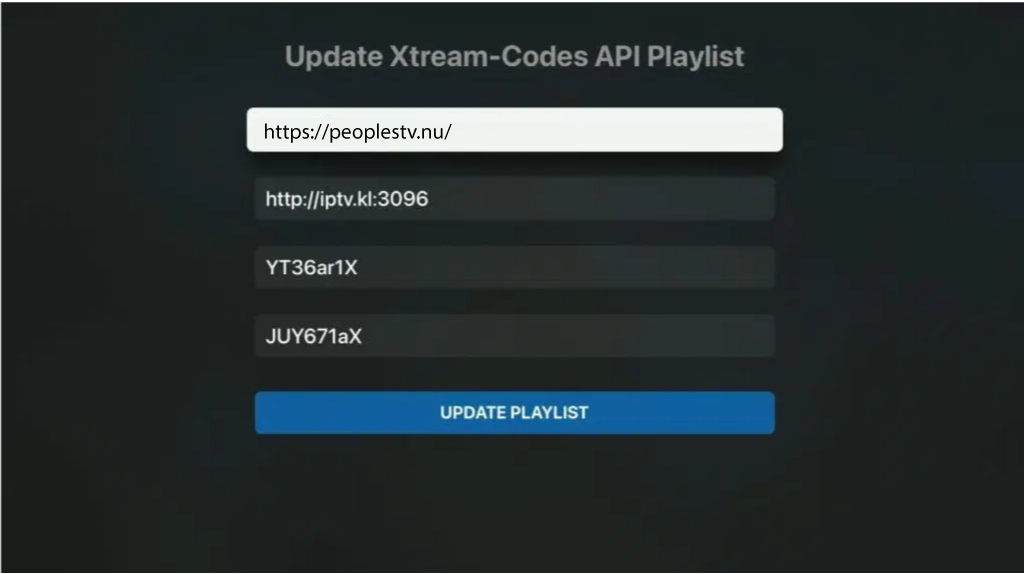
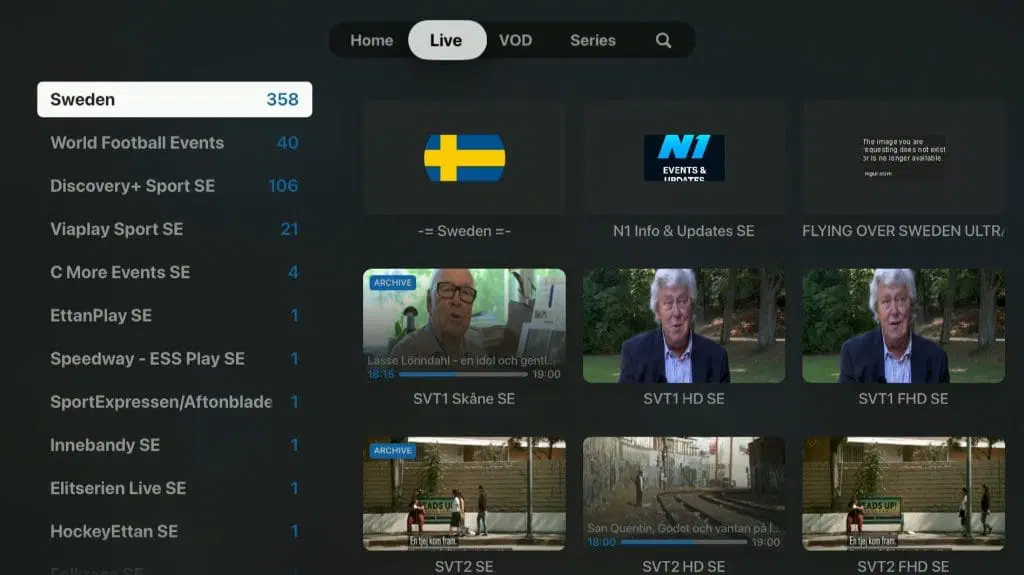
Step 3
Where can I download the app?
The apps can be downloaded from the Play Store and App Store to your device.
Only download the app from a trusted source, such as the links we've provided above and below, or directly from the App Store or Play Store. This is to avoid accidentally downloading viruses from unsafe sources.
Download Perfect IPTV to the following devices by tapping the text below:
– iPhone & iPad
– Android-based mobiles & tablets
– Android Boxes
– Smart TV