

Instructions for IPTV Expert
IPTV Expert is a very user-friendly app that is easy to get started with and is reminiscent of the simplicity of the IPTV Smarters Pro app.
The app allows you to upload your channels in the following ways:
M3U link
Xtream Codes Playlist (login details)
MAG/Stalker Portal
We recommend that you upload your IPTV playlist with Xtream Codes (i.e. with the login details you receive from us upon purchase or free trial). This way your EPG (program guide) will be installed automatically in the background.
If you choose to use the M3U link, you will need to manually fill in your EPG link, which you will also receive from us.
Step 1

Step 2
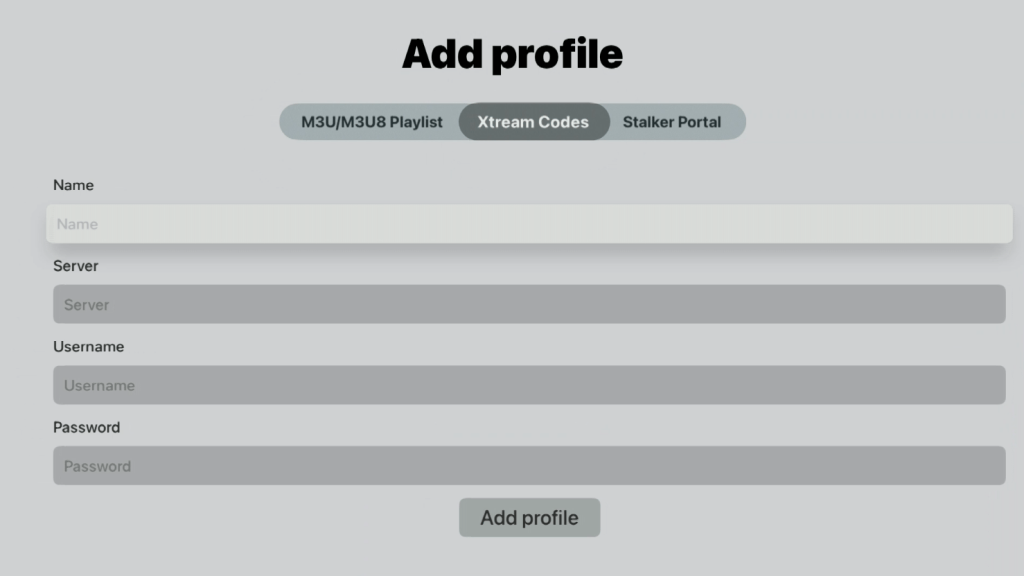
Step 3

Where can I download the app?
The app can be downloaded from the Play Store. There are also APK files available for download, but this is not recommended as they may contain viruses. The APK file from IPTV Extreme's own website does not appear to be available anymore.
Computer
IPTV Expert for PC is a powerful and user-friendly application that allows you to stream IPTV channels easily and smoothly. With its intuitive interface, the app is suitable for both beginners and experienced users. You can easily import M3U playlists and use the EPG (Electronic Program Guide) to get a structured overview of available channels and programs. IPTV Expert supports multiple video formats and offers high-definition streaming, making it perfect for watching live TV, movies, and series with the best possible picture quality. The app is optimized for both Windows and macOS, and allows you to customize the settings to optimize your streaming experience. With support for multiple playlists and easy content management, this is an excellent choice for IPTV enthusiasts who want full control over their media content on their computer.