
Instructions for IPTVX
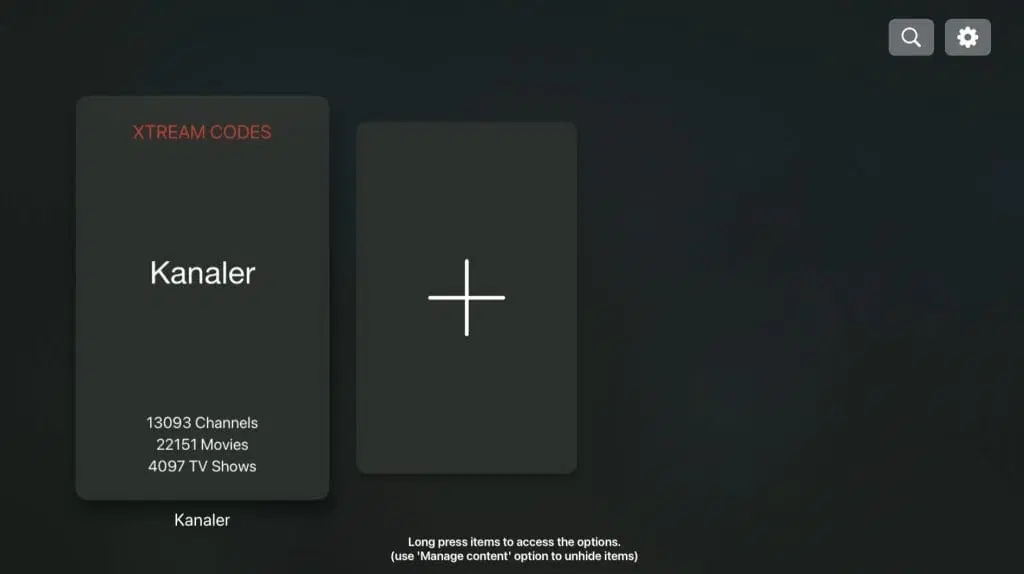
iPlayTV is, in our opinion, one of the best apps in the same category as IPTVX for watching IPTV on Apple TV. It is very easy to get started with and allows you to upload your channels in the following ways:
Remote Playlist File (M3U link)
Local File (M3U file)
Xtream Server (Login details)
The app works great with Apple TV. However, we always recommend that you clear out unnecessary apps that are not being used, and that you use a slightly newer model. This is because most IPTV lists today are very large and contain hundreds of thousands of titles, such as channels, movies, series, documentaries and more.

IPTV with iPlayTV
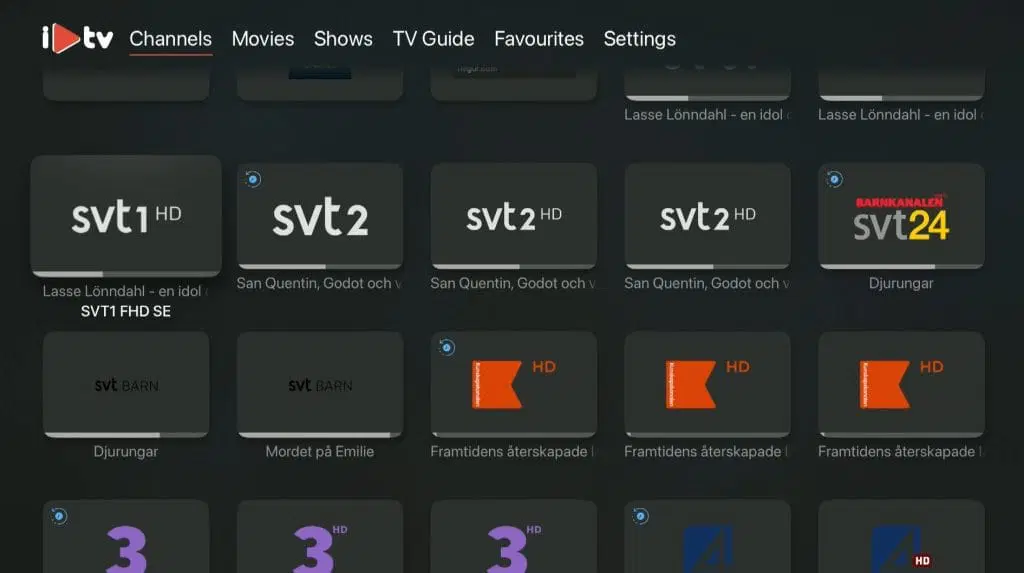
Instructions on how to complete the installation can be found here. It usually takes about 5-15 minutes to get started when you try to start the TV channels on your Apple TV for the first time. However, if you get stuck and need help, you can always contact our support.
We recommend that you upload your IPTV playlist using Xtream Server (i.e. with your username, password and Portal URL that you receive from us upon purchase or free trial).
This is because your EPG (program guide) will then be installed automatically in the background. If you instead choose M3U link, you will need to manually fill in your EPG link that you will receive from us. The app is one of the most popular IPTV apps for Apple TV, as its interface is much simpler compared to, for example, IPTVX and other apps in the same category. The app is only available for Apple TV. IPTV with TVIP box is also a good option for watching IPTV.
Step 1
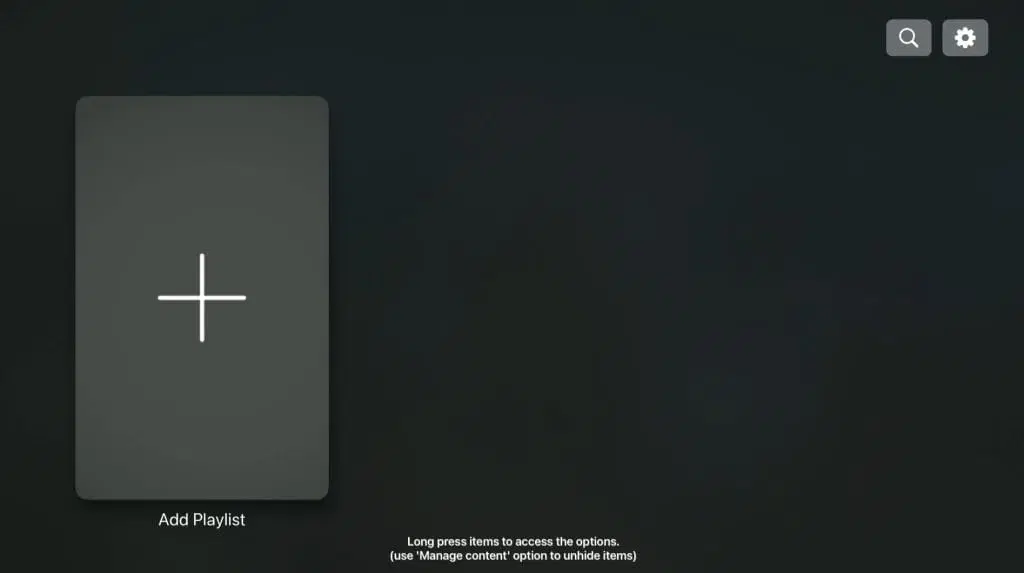
Step 2
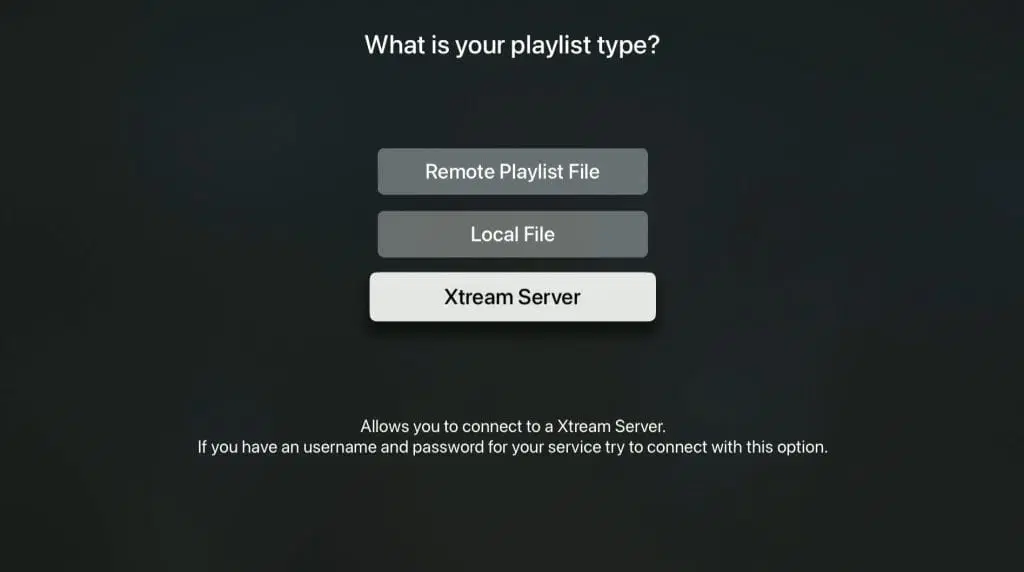
Step 3
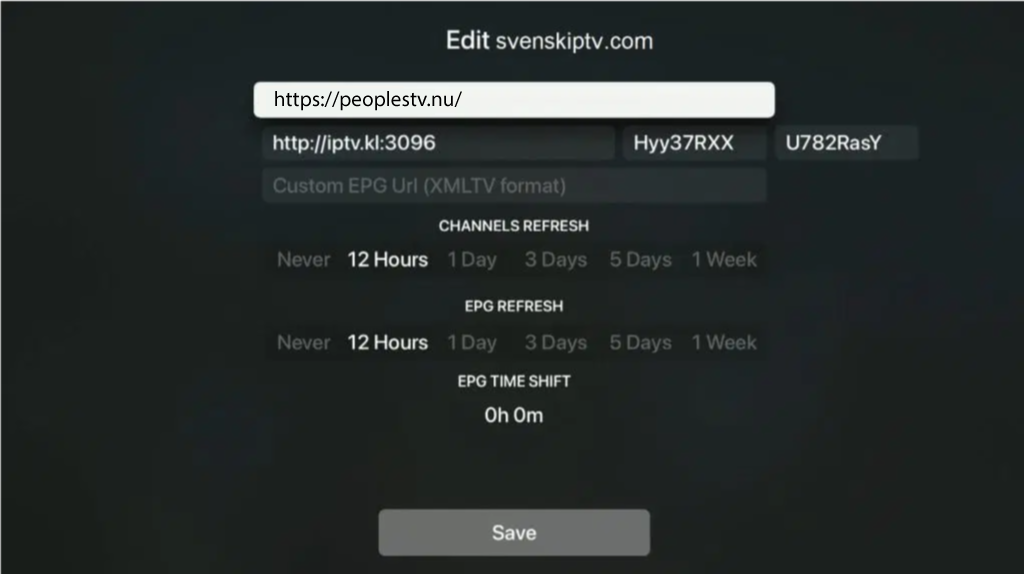
Step 4
Step 5
Where can I download the app?
Never download the app from any source other than the App Store, such as similar websites, as these may be fake. Download iPlayTV here.
iPlayTV instructions on Apple TV
iPlayTV works great on Apple TV. On Apple TV 4 and Apple TV 5, the app works perfectly, and the quality is really noticeable when you get to test it in peace and quiet. Therefore, we recommend that you start by buying 1-3 months to get a good experience. Unfortunately, the app cannot be downloaded on Apple TV 3 as it is too old. Although the app does not have many ratings on the App Store, there are forums and other platforms where many have rated the app and given it a good rating (about 4/5). There are other apps with similar quality, but iPlayTV has been around for a long time and seems to be here to stay.
Keep in mind that our tests only last one hour, so make sure to use the test well and plan ahead so that you get the most out of it.